
Ultimate Crosshair for Games — Game Bar Widget
An in-depth review of the Ultimate Crosshair for Games Game Bar Widget. Discover how this lightweight overlay enhances your targeting precision on Windows.
Enhance Your Aim with the Ultimate Crosshair for Games Game Bar Widget
The Ultimate Crosshair for Games Game Bar Widget is a game-changer for players seeking to elevate their aiming precision without dealing with clunky, resource-heavy desktop overlays. By integrating directly into the native Windows Xbox Game Bar, this clever utility provides a seamless, low-latency reticle configuration that sits perfectly over your active gameplay session. If you have ever struggled with poor default in-game sights, this widget offers an elegant, highly customizable remedy.
Tailored Precision: Advanced Reticle Customization
What sets the Ultimate Crosshair for Games Game Bar Widget apart is its deep customization suite. Instead of forcing you to use a static, generic dot, the tool allows you to modify almost every visual aspect of your reticle. You can adjust lines, circle dimensions, dot shapes, outline thickness, blur levels, opacity, and even overall rotation. For players who prefer unique setups, you can even import custom image overlays or save your favorite configurations as presets for quick switching between different gaming genres.
Seamless Integration and Performance
Designed specifically for the Windows platform by KG Studio, the widget operates with minimal performance overhead. Because it lives inside the Xbox Game Bar (accessible instantly via the Win + G shortcut), you do not have to alt-tab out of your match to make adjustments. The dedicated Display section lets you quickly re-center the overlay, scale the crosshair to match your monitor resolution, and toggle a secure click-through mode so your mouse inputs pass directly to the game without interruption.
Who Is This Crosshair Tool For?
- Competitive Shooters: Perfect for tactical games where default crosshairs are either too wide, fade during movement, or lack clear contrast.
- Multi-Monitor Users: Easily scale and position the reticle independently depending on which display you are active on.
- Controller and Keyboard Players: Full support for gamepad, keyboard, and mouse inputs ensures anyone can tweak settings on the fly.
How It Works in Practice
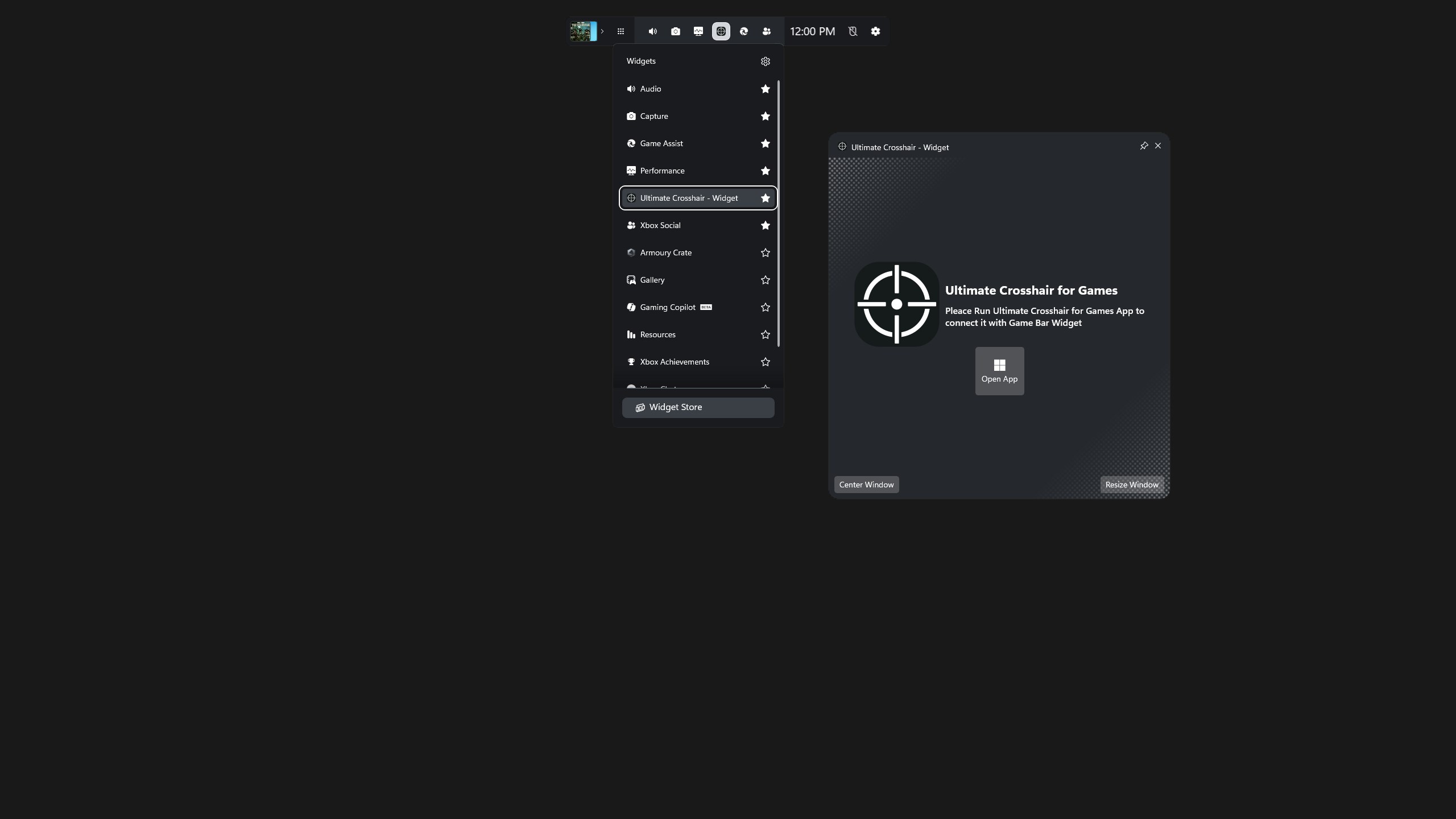
It is important to note that this specialized widget operates as a companion display layer. The overlay displays your custom reticle when the main desktop application, developed by KG Studio, is running in the background. You can use the convenient Game Bar integration panel to launch or connect the desktop app instantly, keeping your gaming flow completely uninterrupted.
Final Verdict
For Windows gamers looking to improve their target acquisition, the Ultimate Crosshair for Games Game Bar Widget offers an incredibly lightweight, secure, and customizable solution. If you are ready to take control of your aiming alignment, head over to the official Microsoft Store to explore the widget and add it to your Xbox Game Bar setup.