

Join for Teams Meetings


Discover Join for Teams Meetings, a macOS assistant designed to streamline your meeting workflow. Read our review of its features, pros, and tools.
The Ultimate Solution for macOS Meeting Management
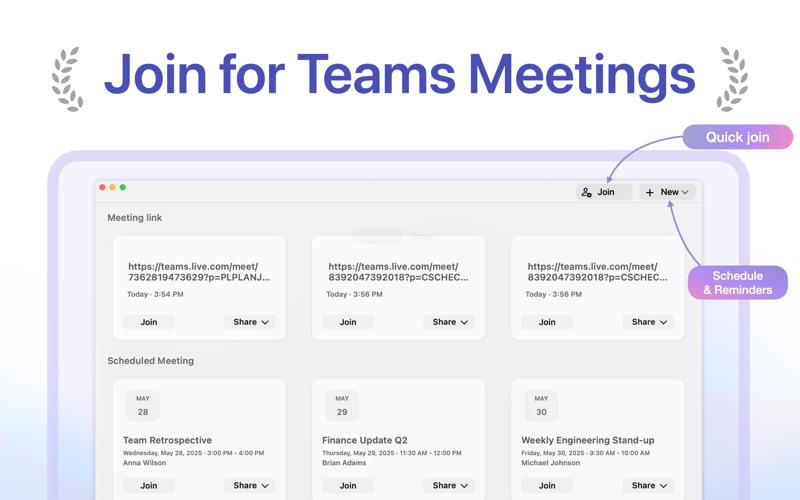
For remote professionals and busy teams, managing a packed daily schedule across multiple platforms can quickly become overwhelming. Join for Teams Meetings is a dedicated macOS assistant built specifically to solve this headache by streamlining how you track, organize, and enter your virtual sessions. Developed by TechSphere Creations LLC, this lightweight communication tool eliminates the friction of hunting through emails and calendar invites just to find a simple meeting link.
Key Features of Join for Teams Meetings
What sets this utility apart is its focus on automation and accessibility. Here is a breakdown of the standout features that help optimize your daily workflow:
- Smart Clipboard Detection: The application monitors your clipboard in the background. When you copy a meeting link, it automatically extracts essential details like the title and scheduled time, instantly adding it to your upcoming list.
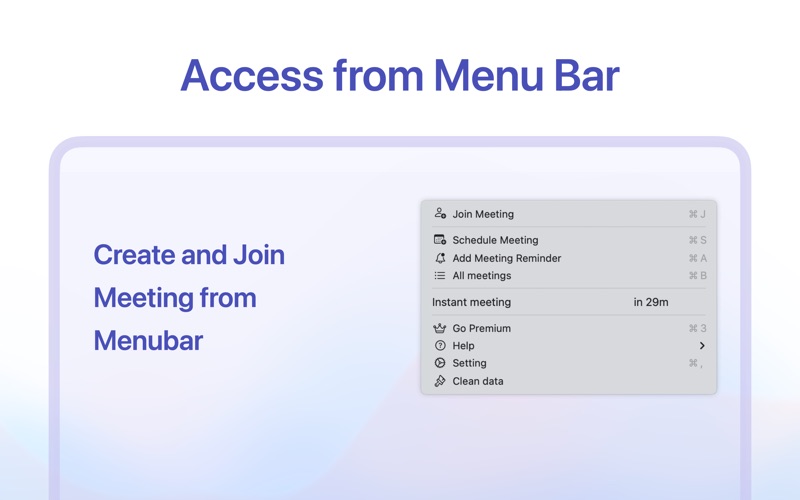
- Instant Menu Bar Access: Keep your desktop clutter-free. You can view your entire daily lineup and jump straight into calls directly from the macOS menu bar.
- Customizable Alert Systems: Choose between subtle pop-up alerts or immersive full-screen reminders to ensure you never miss an important discussion, even when you are deeply focused on deep work.
- Fast Meeting Setup: Create and log new sessions with a single click, bypassing complicated setups or external calendar configurations.
- Simplified Invitation Sharing: Generate plain-text details or a convenient QR code image instantly, allowing team members to scan and join your room from any device.
Who Is This macOS Tool For?
If your workday revolves around virtual collaboration but you are tired of missed starts, messy desktop windows, and manual data entry, Join for Teams Meetings offers a highly focused solution. It is ideal for freelancers, project managers, and remote corporate employees who need a reliable, lightweight assistant to keep their schedules running smoothly without heavy system overhead.
Streamline Your Workday
Instead of letting scheduling logistics disrupt your productivity, this utility brings order to your digital workspace. By centralizing your links and automating detection, it ensures you are always just one click away from your next collaboration session.
To experience this streamlined approach to virtual collaboration firsthand, head over to the official Mac App Store to explore and download the application for your macOS device.